

 Hai Nguyen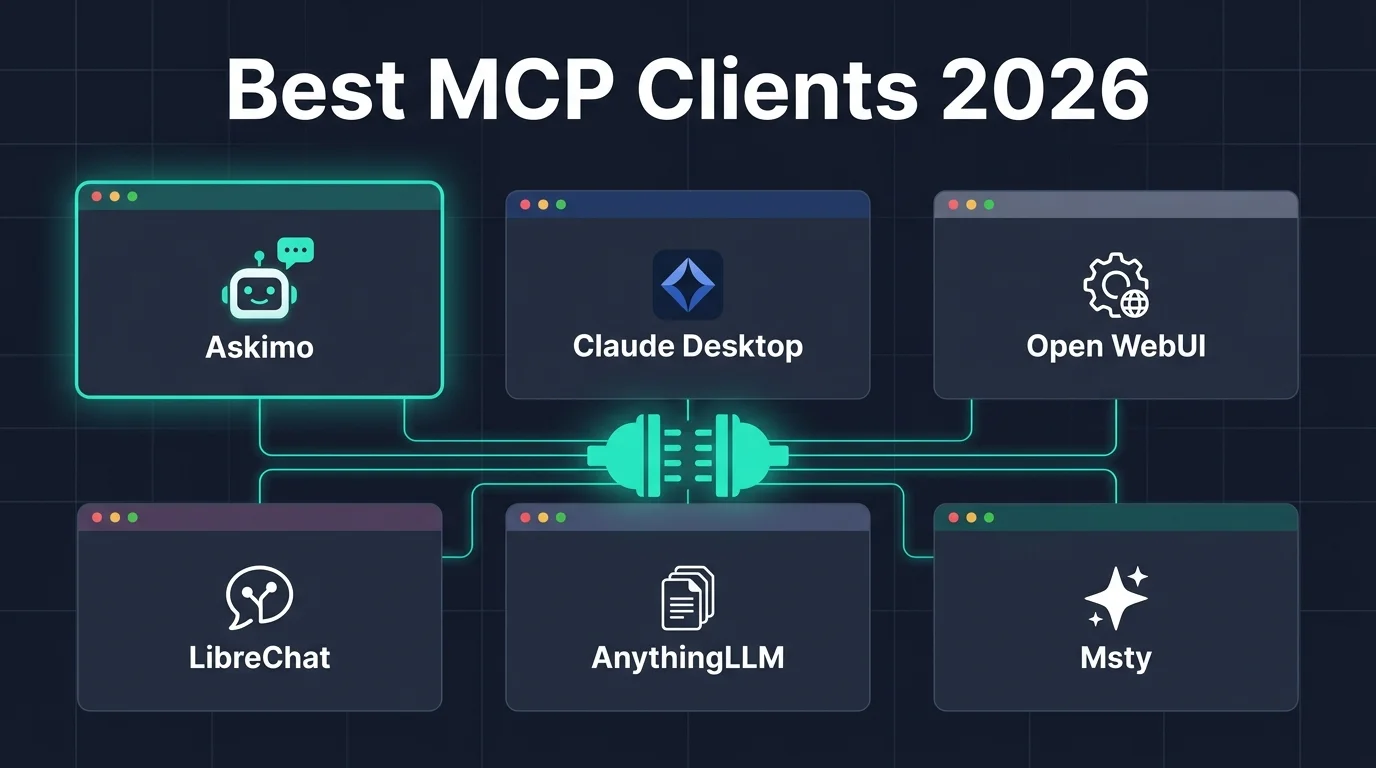
MCP (Model Context Protocol) is the open standard that lets AI models use real tools - query databases, read local files, browse GitHub, search the web, and call any API. If you want your AI chat client to do things instead of just answer questions, you need an MCP-compatible client.
This guide compares six of the best AI chat apps with MCP support in 2026, covering what each does well and which one to pick for your workflow.
New to MCP? Read: MCP vs Function Calling: What’s the Difference for a clear explanation of how MCP works before diving in.
What Makes a Good MCP Chat Client?
Not all MCP support is equal. The best clients share these qualities:
- Easy server setup: add an MCP server in seconds, not minutes of config editing
- Multi-provider support: use MCP tools with Claude, GPT, Gemini, and Ollama - not just one model
- Secure credential handling: secrets stored in the OS keychain, never in plain text
- Reliable tool execution: clear feedback when tools succeed or fail
- Discovery and management: see which tools are available and toggle them per conversation
1. Askimo Desktop (Best All-Round MCP Chat Client)
- Website: https://askimo.chat
- GitHub: https://github.com/askimo-ai/askimo
- Pricing: Free & Open Source
- Platform: macOS, Windows, Linux
Askimo is the most capable general-purpose MCP chat client available. It supports MCP across every AI provider it connects to - Claude, GPT-4, Gemini, Ollama, and more - so you’re never locked into a single model for tool use.
What sets it apart:
- Multi-provider MCP: connect an MCP server once and use it with any AI model. Switch from Claude to GPT mid-conversation and your tools stay active.
- Both Stdio and HTTP transports: run local servers via
npxoruvx, or connect to hosted endpoints like the GitHub Copilot MCP API. - Secure secret storage: values with
key,secret,token, orpasswordin the name are automatically encrypted and stored in your OS keychain (Keychain on macOS, Credential Manager on Windows). Config files stay clean. - Per-conversation tool control: a Tools button in the chat bar lets you enable or disable specific MCP servers for each conversation without touching global settings.
- Simple setup: add an MCP server in seconds - name it, set Stdio or HTTP details, test, and save. No config files, no templates.
- Works with local Ollama models: MCP tools work entirely offline when paired with a local model. No data leaves your machine.
- Native desktop app: not a web wrapper - fast UI, low memory, and no tab crashes on long conversations.
Popular MCP use cases in Askimo:
- 🐙 GitHub: list pull requests, search code, create issues - via the GitHub Copilot MCP endpoint
- 🕐 Live time: answer time zone questions with a local
uvx mcp-server-timeprocess - 🗄️ Databases: query SQLite or Postgres in plain English
- 📁 Local files: read, summarize, and write files via a filesystem MCP server
- 🌐 Web search: pull live results via Brave Search or Tavily
Setup guide: How to Connect AI to Real-World Tools with MCP in Askimo Desktop
Best for: power users, developers, and analysts who want MCP across multiple AI models in a single native desktop app - without a browser, a server, or JSON config editing.
2. Claude Desktop (Best for Claude-Only MCP Users)
- Website: https://claude.ai/download
- Pricing: Free (Claude.ai account required; Pro plan for more usage)
- Platform: macOS, Windows
Claude Desktop is Anthropic’s official client and the app that popularized MCP when it shipped native support in late 2024. It’s the reference implementation - if an MCP server works anywhere, it works here.
Highlights:
- First MCP-capable desktop chat client; largest tested ecosystem of compatible Stdio servers
- Access to Claude 3.5 Sonnet and Opus with full context window
- Clean, focused chat interface optimized for Claude
Limitations:
- Claude only - no GPT, Gemini, or Ollama support
- HTTP MCP transport not supported (Stdio only)
- No GUI for managing servers - requires editing
claude_desktop_config.jsonby hand - No per-conversation tool control; all MCP tools are always on
Best for: Claude users who want the original, most compatible MCP implementation and don’t need multi-provider support.
3. Open WebUI (Best Self-Hosted MCP Chat Interface)
- Website: https://openwebui.com
- GitHub: https://github.com/open-webui/open-webui
- Pricing: Free & Open Source
- Platform: Self-hosted (Docker), Web
Open WebUI is the most popular self-hosted web interface for Ollama and OpenAI-compatible APIs. It added MCP support via its Tools/Functions feature and has become a go-to for teams running their own AI infrastructure.
Highlights:
- Self-hosted - full control over data, models, and tooling
- Supports Ollama and any OpenAI-compatible endpoint (Claude via proxy, Gemini via adapter)
- MCP tool integration through its pipelines/functions system
- Multi-user with role-based access - great for small teams
- Extensible with community plugins and tool functions
- Active development with frequent releases
Limitations:
- Requires Docker to self-host - not a zero-setup option
- Web-based, so browser limitations apply on very long chats
- MCP server management is less streamlined than native desktop clients
- No credential encryption at the client level - handled at the server/infra level
- No native desktop app; runs in a browser tab
Best for: teams or self-hosters who want a capable web UI for Ollama with MCP tools and don’t mind managing a Docker deployment.
4. LibreChat (Best Open-Source Multi-Provider MCP Chat)
- Website: https://librechat.ai
- GitHub: https://github.com/danny-avila/LibreChat
- Pricing: Free & Open Source
- Platform: Self-hosted (Docker), Web
LibreChat is a feature-rich, self-hosted chat UI that supports nearly every major AI provider and added MCP support via its tools system. It’s one of the most full-featured open-source chat platforms available.
Highlights:
- Supports OpenAI, Claude, Gemini, Ollama, Mistral, and many more out of the box
- MCP server integration through its agents and tool system
- Branching conversations, conversation search, and artifacts panel
- File uploads, code execution, and image generation support
- Active community and extensive documentation
Limitations:
- Self-hosted only - requires Docker setup and maintenance
- MCP configuration is YAML/JSON based; no GUI for server management
- Browser-based; performance degrades on extremely long conversations
- More complex to deploy and configure than desktop apps
Best for: technical users or teams who want maximum provider flexibility and open-source control in a self-hosted chat platform.
5. AnythingLLM (Best MCP Chat Client for RAG + Tools)
- Website: https://anythingllm.com
- GitHub: https://github.com/Mintplex-Labs/anything-llm
- Pricing: Free & Open Source (Desktop); Cloud plan available
- Platform: Desktop (macOS, Windows, Linux), Self-hosted
AnythingLLM combines a document-focused RAG system with MCP tool support, making it a strong choice for users who primarily want to chat with their documents but also need external tool integrations.
Highlights:
- Desktop app and self-hosted server options
- Built-in RAG: ingest PDFs, Word docs, and websites into workspaces
- MCP tools available in agent mode alongside document retrieval
- Supports Ollama and cloud providers
- Agent system can chain multiple tool calls in one response
Limitations:
- MCP support is in agent mode only - not available in standard chat
- MCP server management via JSON config, no GUI
- RAG is workspace-scoped - less flexible than project-level indexing
- UI is less polished than dedicated chat clients
Best for: users who want to combine document RAG with MCP tools in a single self-contained app, especially for knowledge-base workflows.
6. Msty (Best Polished Desktop MCP Chat App)
- Website: https://msty.app
- Pricing: Free tier; Pro subscription
- Platform: macOS, Windows
Msty is a polished multi-provider desktop chat app with a strong focus on design and UX. It added MCP support for connecting external tools alongside its clean chat interface.
Highlights:
- Clean, modern desktop UI - arguably the most design-focused client on this list
- Supports multiple AI providers: OpenAI, Claude, Gemini, Ollama, and more
- MCP tool support for connecting external data sources and APIs
- Side-by-side model comparison mode (compare responses from two models at once)
- Local model management via Ollama integration
Limitations:
- Pro features require a paid subscription
- MCP server management via config - less discoverable than a GUI
- Closed source - no community contribution or self-hosting
- Smaller community and fewer integrations than open-source alternatives
Best for: users who prioritize a clean, polished desktop chat experience and don’t mind paying for premium features.
Comparison Table
Note: Features based on publicly available information as of June 2026. Check each tool’s official website for the latest updates.
| Feature | Askimo | Claude Desktop | Open WebUI | LibreChat | AnythingLLM | Msty |
|---|---|---|---|---|---|---|
| MCP Stdio | ✅ | ✅ | ✅ | ✅ | ✅ | ✅ |
| MCP HTTP | ✅ | ❌ | ✅ | ✅ | ✅ | ✅ |
| GUI MCP Management | ✅ | ❌ | ❌ | ❌ | ❌ | ❌ |
| Multi-Provider (OpenAI, Claude, Gemini, Ollama…) | ✅ | ❌ Claude only | ✅ | ✅ | ✅ | ✅ |
| Works with Ollama (local, offline) | ✅ | ❌ | ✅ | ✅ | ✅ | ✅ |
| Credential Encryption (OS Keychain) | ✅ auto | ❌ | ❌ | ❌ | ❌ | ❌ |
| Per-Conversation Tool Toggle | ✅ | ❌ | ❌ | ❌ | ❌ | ❌ |
| Native Desktop App | ✅ | ✅ | ❌ browser | ❌ browser | ✅ | ✅ |
| Multi-User / Team Access | ❌ | ❌ | ✅ | ✅ | ✅ server mode | ❌ |
| Self-Hosted / Team Option | 🔜 team edition | ❌ | ✅ | ✅ | ✅ server mode | ❌ |
| Built-in RAG | ✅ project-level (PDF, Office, code, URLs) | ❌ | ✅ document upload | ✅ document upload | ✅ document-focused | ❌ |
| Script Runner (Python / Bash / JS) | ✅ | ❌ | ❌ | ❌ | ❌ | ❌ |
| Multi-Step AI Workflows | ✅ AI Plans + MCP | ❌ | ❌ | ❌ | ✅ agent mode | ❌ |
| Image Generation | ❌ | ❌ | ✅ | ✅ | ✅ | ❌ |
| Model Comparison (side-by-side) | ❌ | ❌ | ❌ | ❌ | ❌ | ✅ |
| Open Source | ✅ | ❌ | ✅ | ✅ | ✅ | ❌ |
| Platform | macOS, Windows, Linux | macOS, Windows | Any (self-hosted) | Any (self-hosted) | macOS, Windows, Linux | macOS, Windows |
| Price | Free & OSS | Free (account req.) | Free & OSS | Free & OSS | Free & OSS / Cloud | Free / Paid |
Choosing the Right MCP Client
Pick Askimo if:
- You want MCP with Claude, GPT, Gemini, and Ollama in a single native desktop app
- You bring your own API key and want your data to stay entirely on your machine
- You want a GUI for managing MCP servers - no JSON editing, no Docker
- You want secrets automatically secured in your OS keychain
- You want to chat with your own files - PDFs, Word docs, spreadsheets, code, and web URLs - using built-in local RAG (Lucene + jvector, nothing uploaded)
- You want AI Plans: multi-step workflows that chain MCP tool calls with AI reasoning to produce finished deliverables - research briefs, reports, analysis - in one automated run
- You want to run Python, Bash, and JavaScript scripts directly from chat
- You want fully private local AI + local MCP servers with Ollama, no server to maintain
Askimo is not just an MCP client - it’s a full AI toolkit. MCP tools, local RAG over your documents, multi-step AI Plans, script execution, and multi-provider chat all in one native desktop app. See all features →
Pick Claude Desktop if:
- You only use Claude and want the original, most compatible MCP implementation
- You’re testing or developing MCP servers and need a reference client
Pick Open WebUI if:
- You’re running Ollama for a team and want a shared self-hosted interface
- You’re comfortable with Docker and want full control over your deployment
- Multi-user access and role management matter to you
Pick LibreChat if:
- You want maximum provider flexibility in an open-source, self-hosted platform
- You need conversation branching, artifacts, and a rich web-based chat experience
- Your team is technical and can manage a self-hosted deployment
Pick AnythingLLM if:
- Your primary use case is chatting with documents (PDFs, docs, websites)
- You also need MCP tools but RAG is the main feature
- You want a self-contained desktop or server app with no separate hosting
Pick Msty if:
- You want the most polished desktop UX and are willing to pay for it
- You value side-by-side model comparison
- Open source or self-hosting isn’t a priority
Getting Started with MCP in Askimo
The fastest way to try MCP today - no Docker, no config editing:
GitHub via HTTP (60 seconds):
- Download Askimo Desktop
- Open Settings → MCP Servers → Add MCP Server
- Choose HTTP transport
- URL:
https://api.githubcopilot.com/mcp/ - Header:
Authorization=Bearer <your-github-token> - Click Test Connection → Save
Live Time via Stdio:
- Make sure
uvxis installed (pip install uv) - Add MCP Server → Stdio
- Command:
uvx mcp-server-time - Test Connection → Save
Ask “What are my open pull requests?” or “What time is it in Tokyo?” - the AI will use the tools automatically.
Full setup guide: How to Connect AI to Real-World Tools with MCP in Askimo Desktop
Finding MCP Servers to Connect
Hundreds of servers exist for databases, APIs, browsers, productivity tools, and more:
- modelcontextprotocol.io - official MCP registry
- mcp.so - community-curated directory with search and categories
- GitHub: awesome-mcp-servers - curated list maintained by the community
Frequently Asked Questions
What is the best MCP client in 2026?
For individual use across multiple AI models without any server setup, Askimo Desktop is the strongest option - bring your own API key, and your conversations and credentials never leave your machine. It supports Claude, GPT, Gemini, and Ollama with both Stdio and HTTP MCP transport, a GUI for server management, and automatic keychain-based secret storage. For teams needing a self-hosted solution, Open WebUI or LibreChat are the top open-source picks today. A managed team edition of Askimo is in the works.
Can I use MCP with local AI models like Ollama?
Yes. Askimo, Open WebUI, LibreChat, and AnythingLLM all support Ollama. With Askimo and local MCP servers, everything runs entirely on your machine - no cloud, no data leaving your device.
Is there a free MCP chat client?
Yes - Askimo Desktop, Open WebUI, LibreChat, and AnythingLLM are all free and open source. Claude Desktop is free with a Claude.ai account. Msty has a free tier.
Do I need to code to set up MCP?
With Askimo, no. The GUI lets you add MCP servers with a name, command or URL, and optional headers - no JSON editing required. All other clients on this list require editing a config file or YAML manually.
Which MCP client is best for teams?
For teams today, Open WebUI and LibreChat are the leading self-hosted open-source options - both support multi-user access with role-based permissions and run via Docker. A managed team edition of Askimo is coming soon for small businesses who want a private AI assistant without the infrastructure overhead.
Which MCP client works on Windows and Linux?
Askimo Desktop, AnythingLLM, and Open WebUI / LibreChat (via browser) all support Windows and Linux. Claude Desktop supports macOS and Windows. Msty supports macOS and Windows.
Final Thoughts
MCP has matured rapidly. What started as a handful of experimental servers in 2024 is now hundreds of production-ready integrations used daily across tools, databases, and APIs in 2026. The question is no longer whether to use MCP - it’s which client fits your setup.
Summary:
- Native desktop, bring-your-own-key, MCP + RAG + AI Plans + script runner → Askimo Desktop
- Pure Claude with the original MCP implementation → Claude Desktop
- Self-hosted team chat with MCP → Open WebUI or LibreChat
- Document RAG + MCP tools in one app → AnythingLLM
- Polished desktop UX, willing to pay → Msty
If you’re an individual and not sure where to start, Askimo Desktop is the safest pick - bring your own API key, works with every major AI provider, handles secrets securely, and lets you add MCP servers without touching a config file or running a Docker container. Beyond MCP, it also indexes your PDFs, Word docs, and code with local RAG, runs multi-step AI Plans that chain MCP tools with AI reasoning, and executes scripts - all on your machine, nothing uploaded.
If you’re looking to roll out AI across a team, Open WebUI or LibreChat are the self-hosted options to evaluate today. A managed team edition of Askimo - aimed at small businesses who want a private AI assistant without the Docker overhead - is in the works.
Try Askimo today: 👉 https://askimo.chat
Star on GitHub: 👉 https://github.com/askimo-ai/askimo
Learn More
- How to Connect AI to Real-World Tools with MCP in Askimo: step-by-step setup for GitHub, databases, files, and web search
- MCP vs Function Calling: understand the difference and when to use each
- Chat With Your Documents Using Ollama & RAG: combine document indexing with MCP for fully local AI workflows
- AI Plans: Multi-Step AI Workflows: chain MCP tools and AI reasoning into automated research pipelines